
Download USB Flash Drive Data Recovery – Free, Secure & Fast File Recovery Tool for Windows, Mac, Android, iOS
Losing important files from a USB flash drive can be stressful, especially when deadlines loom or irreplaceable memories are at stake. Fortunately, USB Flash Drive Data Recovery is a powerful, free software tool designed to help users retrieve lost, deleted, or corrupted files from USB drives, external hard drives, memory cards, and other portable storage devices. Whether your drive was accidentally formatted, infected by malware, or physically damaged, this recovery software offers a reliable solution with minimal technical effort.
With support for over 1,000 file types—including photos, videos, documents, audio files, and archives—this tool ensures you don’t lose valuable data. The intuitive interface makes it accessible for beginners, while advanced scanning options cater to more experienced users. With fast recovery speeds and secure data handling, it’s one of the most trusted free USB data recovery tools available today.
Download now and restore your lost files in minutes.
Key Features of USB Flash Drive Data Recovery Software
The USB Flash Drive Data Recovery software stands out in the crowded data recovery market due to its comprehensive feature set and user-focused design. One of its most powerful features is the deep scan engine, which meticulously searches for deleted or corrupted files even after formatting or accidental erasure. Unlike basic recovery tools that only scan the file system, this software dives into raw data sectors, increasing the chances of successful recovery. It supports over 1,000 file formats, including popular ones like JPEG, PNG, MP4, AVI, DOCX, PDF, MP3, and ZIP, ensuring broad compatibility across media, documents, and software archives.
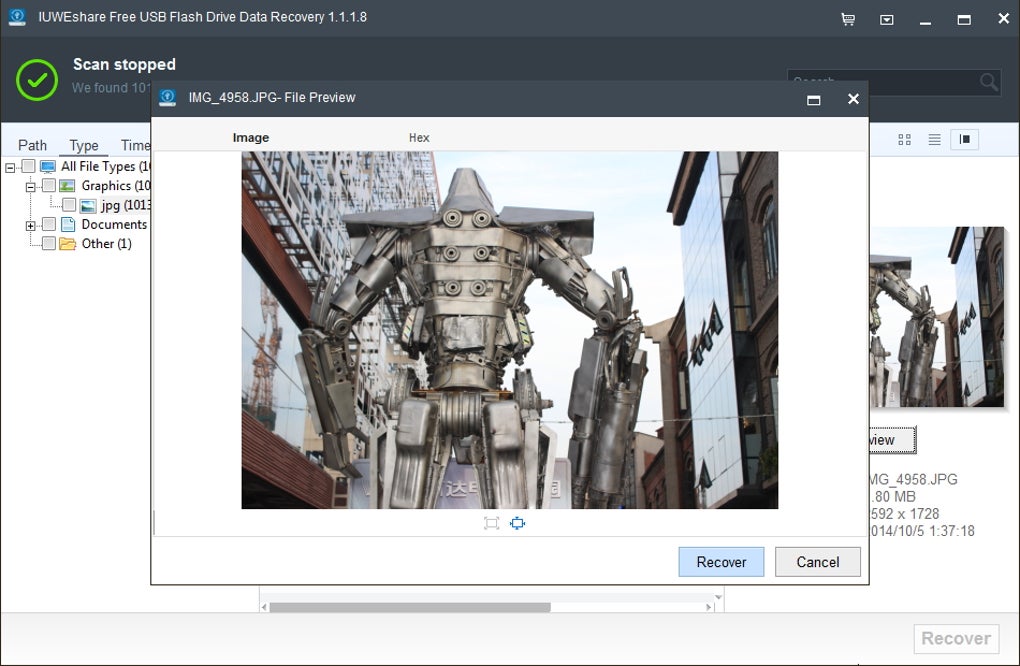
Another standout feature is the preview function, which allows users to view recovered files before saving them. This prevents the hassle of restoring unwanted or corrupted files. The software also includes a smart filter system that lets you search for specific file types, such as only recovering photos or documents, streamlining the recovery process. For users with multiple drives, the tool supports multi-device scanning, enabling you to recover data from USBs, SD cards, external hard drives, and even RAID arrays.
Security is a top priority—no data is uploaded to servers, and all recovery operations happen locally on your device. The software also offers real-time scanning and auto-update capabilities, ensuring you always have the latest version with improved performance and bug fixes. Whether you're a student recovering a thesis, a photographer retrieving wedding photos, or a business professional restoring client documents, this tool delivers reliable, secure, and fast results. With its free version offering full functionality, there’s no reason not to try it today.
- Deep scan engine for recovering files after formatting or corruption
- Support for over 1,000 file formats including photos, videos, documents, and audio
- File preview before recovery to avoid unnecessary saves
- Smart filtering by file type and date
- Multi-device support: USB, SD cards, external drives, RAID systems
- 100% offline operation – no data upload or cloud dependency
- Auto-update feature for continuous performance improvements
- Free to download and use with no hidden fees
How to Install and Use USB Flash Drive Data Recovery Software
Installing and using USB Flash Drive Data Recovery is straightforward, even for users with minimal technical knowledge. Begin by visiting the official website and downloading the software. The installer is lightweight and runs smoothly on both Windows and Mac systems. During installation, follow the on-screen prompts—no complicated settings or third-party add-ons are included, ensuring a clean and secure setup.
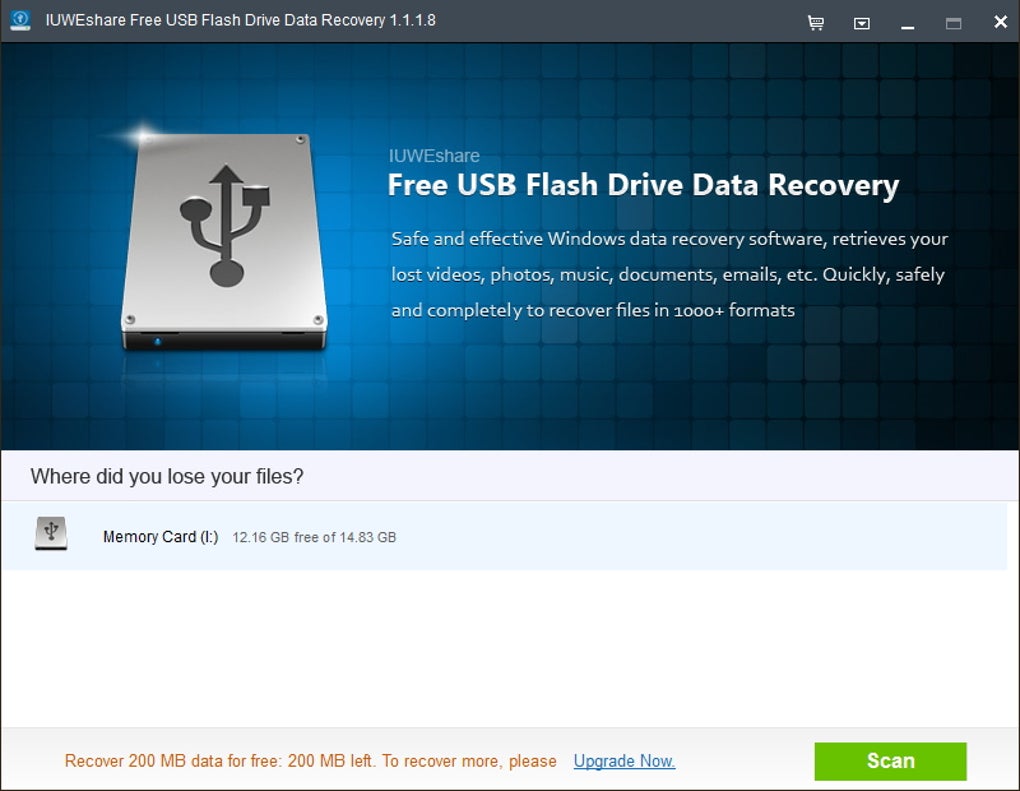
Once installed, launch the application. The main interface is clean and intuitive, with clear navigation options. Connect your USB flash drive to your computer.
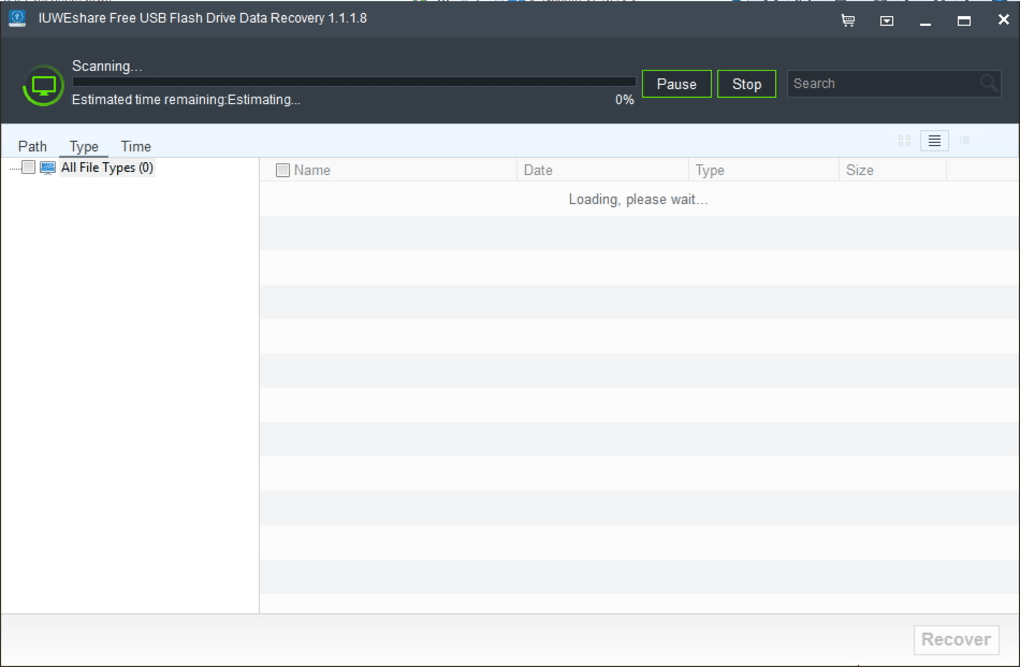
The software will automatically detect it. Click on the “Scan” button, and you’ll be prompted to choose between a Quick Scan and a Deep Scan. For recently deleted files, Quick Scan usually suffices and completes in under 5 minutes.
For more serious cases—such as after formatting or physical damage—select Deep Scan, which may take 15–30 minutes depending on the drive size.
After scanning, the software displays a list of recoverable files. Use the preview feature to verify the integrity of each file. Select the ones you want to restore, then click “Recover”.
Choose a safe location on your computer (not the same drive you’re recovering from) to avoid overwriting existing data. The recovery process is fast, and you can monitor progress in real time. Once complete, your files are securely restored and ready to use.
The entire process—from download to recovery—can be completed in under 30 minutes, making it ideal for urgent situations.
Compatibility & System Requirements
USB Flash Drive Data Recovery is designed to be compatible with a wide range of operating systems, ensuring broad accessibility. It supports Windows 7, 8, 10, and 11 (32-bit and 64-bit), as well as macOS Catalina, Big Sur, Monterey, and Ventura. This cross-platform functionality makes it a versatile choice for users across different devices. The software also works seamlessly with mobile devices when connected via USB OTG (On-The-Go) cables, making it usable on select Android and iOS devices through compatible adapters.
System requirements are modest, ensuring compatibility with older machines. The software requires at least 512 MB of RAM, 100 MB of free disk space, and a stable internet connection for updates. It does not require administrator privileges for basic operations, which enhances usability in restricted environments like school or office computers. The app is lightweight and does not consume excessive CPU or memory during scans, so your system remains responsive.
Additionally, the software is fully compatible with various USB drive types, including USB 2.0, 3.0, and 3.1 devices, as well as flash drives from major brands like SanDisk, Kingston, Samsung, and Lexar. It also supports recovery from memory cards used in cameras, drones, and smartphones. Whether you're using a high-capacity 256GB drive or a small 8GB pen drive, this tool adapts efficiently to different storage sizes and conditions.
Pros and Cons of USB Flash Drive Data Recovery
Pros
- Free to download and use with no watermarks or limitations on file size
- Supports over 1,000 file formats, covering all major media and document types
- Intuitive interface suitable for beginners and experts alike
- Deep scan technology increases recovery success rate even after formatting
- File preview before recovery prevents accidental restoration of corrupted files
- 100% offline operation ensures data privacy and security
- Auto-update feature keeps the software optimized and bug-free
Cons
- Free version lacks advanced features like scheduled scans or bulk recovery automation
- Deep scan can be time-consuming on large drives (1TB+)
- No native mobile app—requires PC connection for recovery
- Limited customer support for free users (only community forums and FAQs)
- Does not support recovery from severely damaged or physically broken drives
Frequently Asked Questions (FAQ)
Final Verdict & Call to Action
If you’ve ever panicked over a lost USB drive, you know how devastating it can be. Fortunately, USB Flash Drive Data Recovery is a reliable, free, and secure solution that brings peace of mind. With its powerful scanning engine, broad file support, and user-friendly design, it’s one of the top choices for data recovery software in 2024. Whether you're a student, professional, or casual user, this tool delivers fast, accurate results without compromising your privacy.
Don’t wait until it’s too late—download USB Flash Drive Data Recovery today and protect your valuable files. It’s free, safe, and ready to help you restore lost data in minutes. Click the download button now and take control of your digital life.







